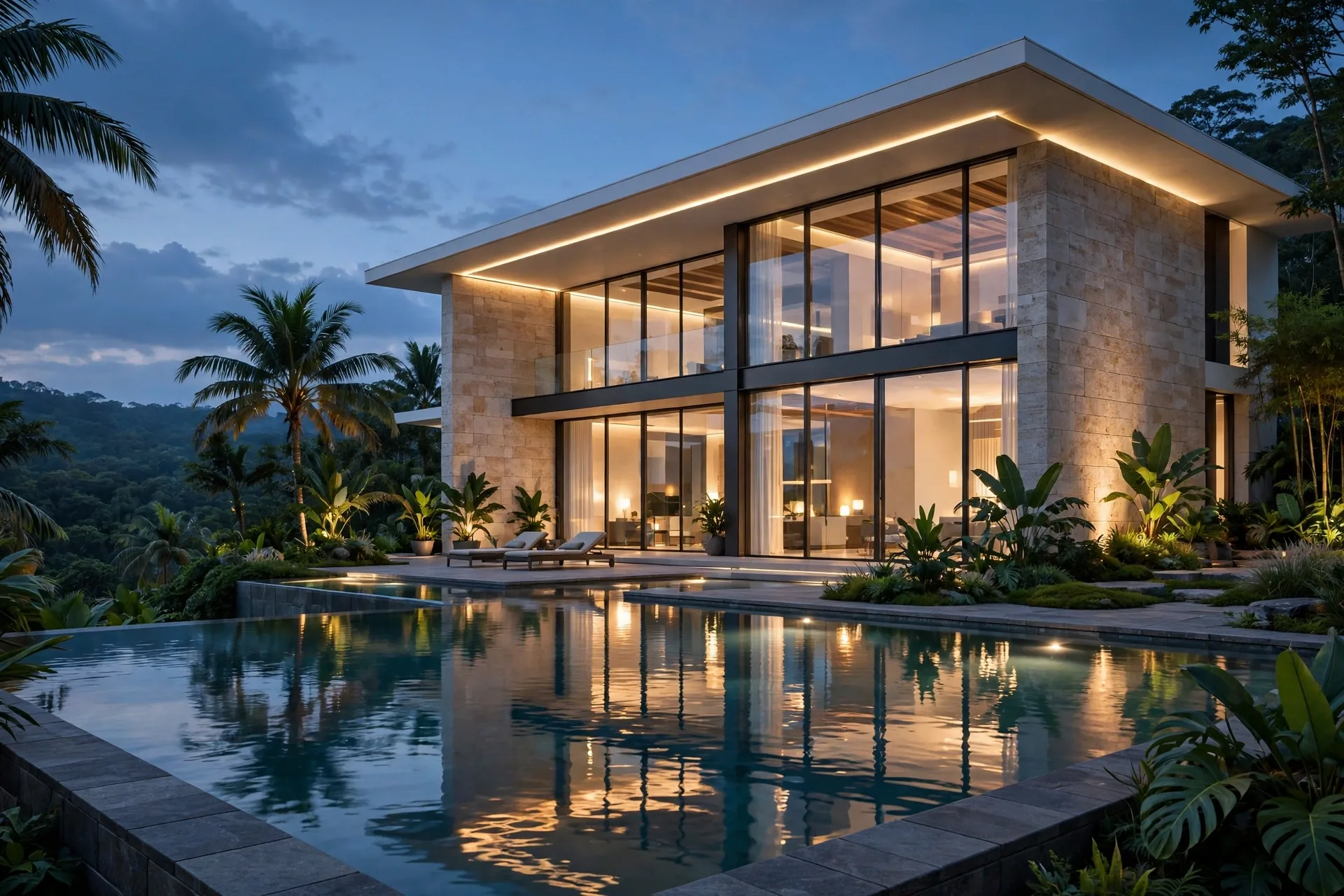
D5 Render vs Lumion: Speed, Quality and Price in 2026
D5 Render has gone from a niche newcomer to a serious rival for Lumion in just a few years, and architects are asking whether the challenger is now the better buy. Both are real-time rendering tools built for architectural visualization, both produce photorealistic images without the long waits of offline renderers, and both work with SketchUp, Revit, Rhino, and Archicad models. But D5 Render and Lumion differ sharply on price, workflow, and ecosystem. This 2026 comparison covers speed, quality, ease of use, pricing, and hardware, so you can pick the tool that fits your practice.
What Each Tool Does Best
D5 Render is a real-time ray tracing renderer with a clean, modern interface and a strong focus on lighting realism. It uses global illumination out of the box, so daylight, bounce light, and reflections look convincing with very little tuning. D5 also includes AI-assisted tools, such as AI-generated entourage and texture enhancement, and a growing library of models, materials, and HDRI skies. Its free version is genuinely usable for learning and small projects, which has made it popular with students, freelancers, and small studios.
Lumion is the established standard for architectural visualization, with a much larger asset library, a mature effects stack, and a long track record on commercial projects. Its landscape tools, weather system, and animation features are deeper than D5, and its output is trusted by marketing teams and developers worldwide. Lumion costs far more, but it arrives with an ecosystem of tutorials, templates, and community knowledge that D5 is still building. If you are new to Lumion, our Lumion beginner tutorial covers your first render, and our Real Skies guide explains the sky and lighting choices that drive realism.
Speed and Real-Time Performance
Both tools render in real time, and both feel fast on a good graphics card. D5 Render has a slight edge on raw lighting quality per second of work: because global illumination is always on, a D5 scene often looks finished earlier, with less time spent adding lights and effects to fake bounce light. Navigation stays smooth on mid-range hardware, and final stills at 4K typically export in one to three minutes.
Lumion is equally fast for navigation, but its final renders can take longer at the highest quality settings, especially with heavy vegetation and complex effects. A 4K Lumion still usually takes a few minutes, and animations take longer still. The difference is small for still images and larger for video: D5 video output is often quicker for the same length and resolution, though Lumion offers more camera and effects control for cinematic sequences. For planning your deliverables, our guide on how long 3D rendering takes gives realistic times for stills, animations, and tours.
Render Quality Compared
On lighting, D5 Render is excellent. Interiors lit by daylight feel natural, with soft shadows and believable bounce light, and exteriors at dusk render with a clean, photographic quality. D5 materials also respond well to light, and its ray tracing handles glass, water, and reflections convincingly. Where D5 sometimes falls short is vegetation and entourage variety: its library is growing, but it is still smaller than Lumion, so large landscaped scenes can start to look repetitive without careful work.
Lumion wins on breadth and atmosphere. Its sky system, weather effects, and huge asset library let you build a complete scene, from trees and people to cars and street furniture, without leaving the program. Lumion skies in particular are a strength: a well-chosen sky can carry an entire exterior render. D5 is catching up fast, and for a single building with a simple setting the two are now very close, but for a complex development scene Lumion still has the deeper toolkit.

Ease of Use and Learning Curve
D5 Render is the easier tool to pick up. The interface is minimal, the material editor is straightforward, and the live-sync plugins for SketchUp, Revit, Rhino, and Archicad keep the model and render connected. A beginner can produce a good-looking render on the first day, and the free version means there is no cost to learning. The trade-off is depth: advanced users sometimes find D5 controls less granular than Lumion for fine effects work.
Lumion takes one to two weeks of regular use to master, but rewards that time with control. Its effects stack lets you layer colour correction, depth of field, lens effects, and weather, and its animation tools support complex camera paths and phased construction sequences. Teams that produce marketing packages regularly will use that depth every week. If you work in SketchUp, our Lumion LiveSync workflow guide shows how to keep model and scene in sync without repeated exports.
Pricing in 2026
Pricing is where D5 Render changes the equation. D5 offers a free version for non-commercial and learning use, and a Pro subscription typically around $360 to $460 per seat per year, which unlocks the full asset library, higher output resolution, and commercial use. That is roughly a quarter of the cost of Lumion Pro.
Lumion Pro generally runs around $1,800 to $2,200 per seat per year, with a lower-cost Standard tier for smaller practices. For a solo freelancer or a small firm, the saving from choosing D5 is large enough to fund a GPU upgrade. For a studio that bills visualization as a service, Lumion price is easier to justify, since clients recognize the tool and the output quality is proven. Either way, compare software cost with outsourcing: our 3D rendering cost per image guide shows 2026 studio prices, and many firms combine in-house D5 or Lumion work for early concepts with a professional studio for final hero images.
Hardware Requirements
Both tools need a dedicated NVIDIA graphics card with ray tracing support, and the GPU matters more than the CPU. D5 Render officially requires an RTX card, and it runs well on an RTX 4060 or better with 8 GB of video memory, though large scenes benefit from 12 GB or more. Lumion recommends an RTX 4070 or better with 12 GB or more of video memory for smooth work on detailed scenes.
For both, 32 GB of RAM is a sensible minimum, and an SSD keeps scene loading fast. One practical note: D5 is Windows-only, while Lumion is also Windows-only, so Mac-based practices need a Windows machine or a cloud workstation for either tool. Check your GPU before buying a license, since a weak card will frustrate you in both programs.
Which Should You Choose?
Choose D5 Render if you want excellent lighting quality at a low price, are learning real-time rendering, work solo or in a small team, or want AI-assisted tools without a large subscription. Choose Lumion if you need the largest asset library, produce marketing animations regularly, work on large developments with heavy landscaping, or want the most proven tool for client-facing deliverables. If you are still unsure, the most reliable test is to render the same project in both tools for a week. Pick one interior and one exterior view, build them in each program, and compare the results side by side with your team or a trusted client. The test will quickly show which interface you enjoy, which library covers your typical projects, and whether Lumion depth is worth its price for the work you actually sell. Many firms that run this test keep D5 for fast concept work and Lumion for final marketing images, and that hybrid setup often delivers the best value of all.
- Best value for money: D5 Render
- Largest asset and entourage library: Lumion
- Fastest good-looking daylight interiors: D5 Render
- Marketing animations and cinematic effects: Lumion
- Learning on a budget: D5 Render free version, then Pro

Frequently Asked Questions
Is D5 Render better than Lumion?
For lighting quality per dollar, D5 Render is hard to beat. For asset library depth, animation control, and proven commercial output, Lumion still leads. The better tool depends on your budget and your project types.
Is D5 Render really free?
D5 Render has a free version that includes real-time rendering and a basic asset library, which is great for learning. Commercial projects, the full asset library, and high-resolution output require the Pro subscription.
Does D5 Render work with SketchUp?
Yes. D5 Render has a live-sync plugin for SketchUp, plus plugins for Revit, Rhino, and Archicad, so model changes update in the render without re-exporting.
Can D5 Render produce animations?
Yes, D5 Render supports camera animations, video output, and phased sequences. Lumion offers deeper animation effects, but D5 covers the standard walkthrough and flythrough needs of most practices.
Which tool is easier for beginners?
D5 Render is easier to learn, with a simpler interface and a free version for practice. Lumion takes one to two weeks of regular use before results look consistently professional.
Do D5 Render and Lumion run on Mac?
No, both are Windows-only. Mac users need a Windows PC or a cloud workstation with a supported NVIDIA graphics card.
Not sure which tool suits your project, or would rather leave rendering to a specialist? Our studio delivers photorealistic stills, animations, and virtual tours from your drawings, with fixed 2026 pricing and fast turnaround. Contact us with your plans and we will recommend the right package for your project.
Written by
Architecture Designing Team
3D Visualization Studio