
Unreal Engine Archviz Guide: Real-Time Renders in UE5
For years, architectural visualization meant one thing: a beautiful still image, rendered overnight, approved by email, revised, and rendered again. Unreal Engine 5 changes the conversation entirely. Instead of showing a client a picture of a room, you hand them the room itself: a space they can walk through, open doors in, change finishes in, and view at any time of day, all in real time. That shift is why developers, architects, and high-end residential studios are adopting real-time archviz so quickly. This guide explains the complete Unreal Engine archviz workflow, from importing your model to packaging a presentation a client can actually use, with the practical settings and pitfalls that matter in 2026.
Why real-time changes the client conversation
A still render asks a client to trust the artist's chosen angle. A real-time walkthrough lets the client choose their own angle, and that changes how decisions get made. Clients discover problems themselves, such as a corridor that feels too narrow or a kitchen island that blocks the view, while changes are still cheap. Developers use real-time presentations at launches and sales galleries, where a buyer can walk their exact unit, try finish options, and feel the space before a single brick is laid. That emotional connection is why they are worth the extra setup effort.
Real-time does not replace still renders. It complements them. The most effective 2026 workflow is hybrid: produce hero stills and animations from the same Unreal scene for marketing, and deliver the interactive walkthrough for sales and design review. If you are still deciding which tool fits your practice, our best rendering software for architects in 2026 comparison puts Unreal alongside Lumion, Enscape, V-Ray, Corona, and D5 Render on quality, speed, price, and hardware. Unreal wins on interactivity and scale, but it demands more setup skill and stronger hardware.
Importing your model with Datasmith
Unreal does not replace your modelling tool, it receives from it, and Datasmith is the bridge. Datasmith importers exist for 3ds Max, SketchUp, Revit, Rhino, and Cinema 4D, and they carry geometry, materials, lights, and hierarchy far more faithfully than a raw FBX export. Install the matching Datasmith exporter plugin for your modelling tool, export with the correct units, and import into a clean Unreal project built from the Architectural Visualization template or a blank project with ray tracing and Lumen enabled. Keep your source model clean before export: purge unused materials and name objects sensibly, because a messy import becomes a messy Unreal scene.
After import, expect a cleanup pass. Check scale against a known dimension, such as a 2.1 metre door, and fix pivot points on doors and windows so they can animate later. Datasmith creates a material instance for every source material: consolidate duplicates, replace placeholders with proper Unreal materials, and organise the content browser into folders. Use Datasmith reimport when the architect revises the model: it updates geometry while preserving your lighting, materials, and interaction work.
Lighting with Lumen: daylight, interiors, and mood
Lumen, Unreal Engine 5's global illumination system, is what makes real-time archviz believable. It bounces light around a scene in real time, so a sunlit room genuinely fills with warm reflected light and a dark corridor stays dark. Start with a directional sun light and sky matched to the location and time of day, then enable Lumen and check global illumination is actually active, since a migrated project may still use baked lighting. For exteriors, late afternoon sun flatters most buildings, while overcast lighting suits commercial projects where accuracy matters more than drama.
Interiors need more care. Sunlight through windows should be the primary source, supplemented by rect lights at large openings and point or spot lights for lamps and downlights. Keep light intensities physically plausible and avoid flooding a room with ambient light to hide problems. Use post-process volumes to control exposure, bloom, and colour grading per area, and test the scene at multiple times of day if the client wants a day-night toggle. Build a simple lighting test room with your standard materials and light rig, and reuse it to validate every new project.
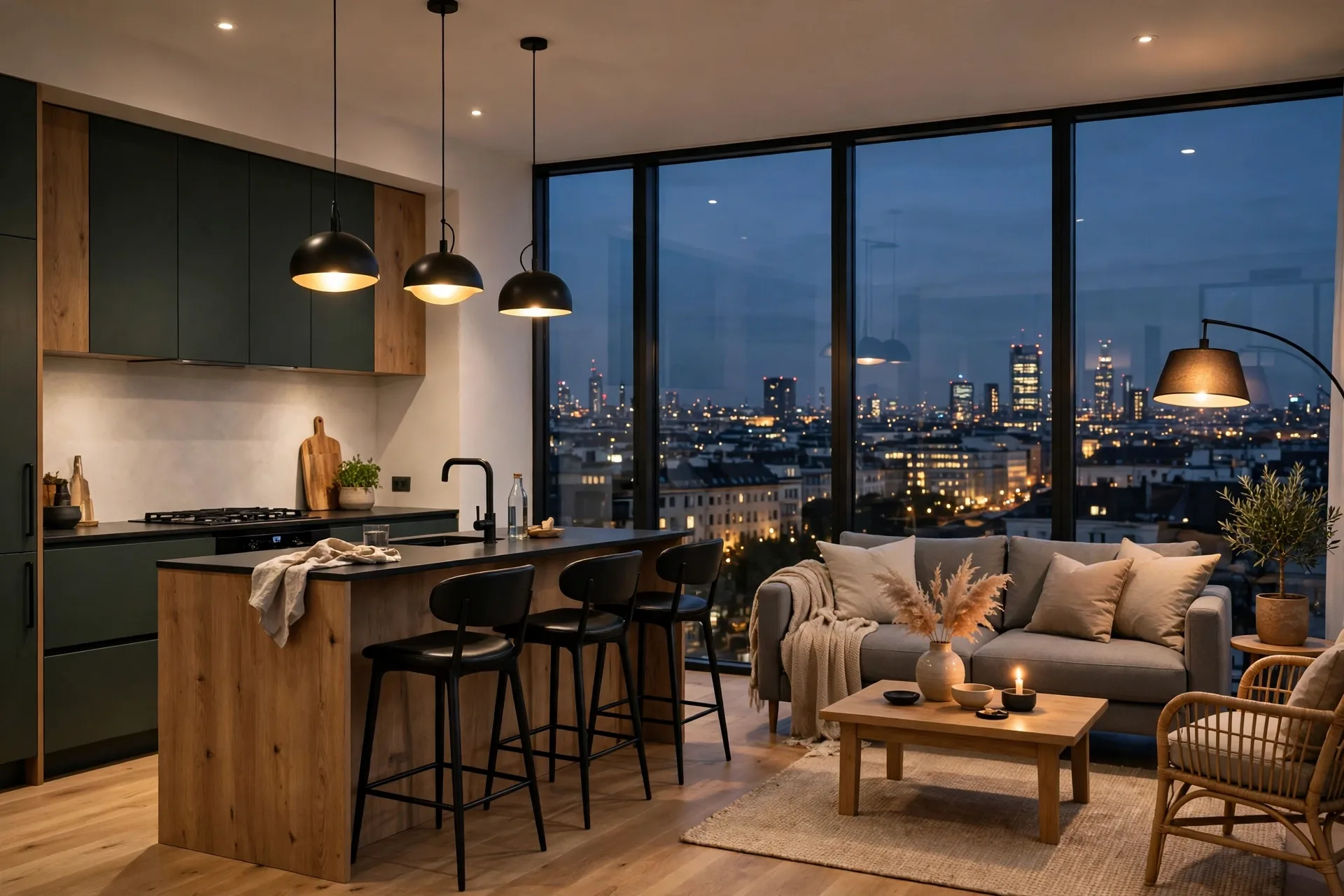
Materials and assets: Quixel, Nanite, and master materials
Unreal's material system rewards a little upfront structure. Build a small set of master materials, one each for opaque surfaces, glass, metal, and emissive surfaces, with parameters for colour, roughness, normal strength, and texture tiling, then create instances for every real material in the project. This keeps the scene consistent, makes finish options trivial to swap for clients, and avoids the performance cost of dozens of unique shader graphs. Use high-quality PBR textures and set real-world scale so timber, stone, and brick read at true size. For hero surfaces, Quixel Megascans, included with Unreal, provides scanned real-world materials that are hard to beat.
Nanite, Unreal's virtualised geometry system, lets you use film-quality assets, such as detailed furniture, trees, and sculptural objects, without the polygon budgets that limited older real-time engines. Enable Nanite on static meshes where it helps, but do not import unclean geometry: broken normals still look broken in real time. Populate scenes with restraint. A living room needs a sofa, rug, coffee table, and a few believable details, not a furniture catalogue. Every asset should earn its place by supporting the architecture or the story of the space, and foliage should be placed with wind and lighting in mind, since static, shadowless trees are a classic real-time giveaway.
Cameras, sequences, and the walkthrough itself
A real-time scene needs two presentation modes: free exploration and guided film. For exploration, set up a first-person or third-person character with sensible walk speed, eye height, and collision, and define clear boundaries so visitors cannot walk through walls or fall out of the building. Add simple interactions where they add value: doors that open, lights that switch, and finish swatches that change a material in real time. Test with someone who has never seen the project, and watch where they get stuck.
For guided film, use Cine Camera Actors and Sequencer to choreograph camera moves, focal length changes, and time-of-day transitions, then render cinematic video from the same scene. A slow, steady camera move with gentle easing looks professional, while fast, jerky moves look like a game demo. Keep shots between five and fifteen seconds and let the architecture carry the film. For budgets and timelines on rendered video deliverables, see our guide to how long 3D rendering takes and our 3D rendering cost per image breakdown, and if you are new to real-time tools generally, our Lumion tutorial for beginners is a gentler first step before Unreal's deeper toolset.
Optimisation and packaging: making it run on a client's machine
A beautiful scene that runs at ten frames per second is a failed deliverable. Profile early with Unreal's GPU and CPU profilers, and set a target: a smooth 60 frames per second on a gaming laptop for walkthroughs, or a stable 30 for high-fidelity presentations. The usual culprits are oversized textures, unculled geometry, too many shadow-casting lights, and post-processing set too high. Compress textures, use level-of-detail meshes for distant objects, and limit shadow-casting lights to the ones that matter. Test on the actual hardware the client will use, not just your workstation, and keep a quality menu so the presentation adapts.
Packaging is the final step and the one most often rushed. Package a standalone Windows build for sales galleries and presentations, and consider Pixel Streaming for browser-based delivery when clients cannot install software. Pixel Streaming streams the application from a server to any browser, which is powerful for remote sales but needs reliable hosting and bandwidth. Include a simple start screen with the project name, controls, and a reset view button, and deliver with a short readme covering system requirements and controls. Archive the full project, including source assets and the Datasmith file, so future revisions are updates, not rebuilds.
Frequently asked questions
Is Unreal Engine free for archviz?
Yes, Unreal Engine is free to download and use, with a royalty only once a product earns over a high revenue threshold, which most archviz service work does not trigger. Quixel Megascans assets are also included for Unreal projects. Your real costs are hardware, artist time, and hosting if you use Pixel Streaming.
Do I need to know how to code for Unreal archviz?
No. Most archviz work uses Blueprints, Unreal's visual scripting system, for doors, lights, and finish options, and no C++ is required. Basic Blueprint knowledge, such as triggers and timelines, covers nearly every interaction a client presentation needs.
How long does an Unreal archviz project take?
A single apartment walkthrough typically takes one to three weeks from clean drawings, depending on finish options and interactivity. A full residential development with multiple unit types takes longer, but reusing materials, furniture, and interaction systems across units keeps later units much faster than the first.
What hardware do I need for Unreal Engine 5 archviz?
A practical 2026 baseline is a recent multi-core CPU, 32GB of RAM, an NVMe drive, and a GPU with at least 12GB of video memory. Lumen and Nanite reward strong GPUs, so invest there first.
Unreal Engine or Lumion for real-time archviz?
Lumion is faster to learn and excellent for quick stills and animations. Unreal wins when you need true interactivity, custom finish options, or a branded sales-gallery experience.
Can clients view an Unreal walkthrough on a normal laptop?
Yes, if the scene is optimised and packaged well, or delivered through Pixel Streaming in a browser. Always confirm the client's hardware in advance, provide a quality setting menu, and keep a rendered video fallback for meetings where live hardware cannot be guaranteed.
Unreal Engine 5 rewards the studios that treat it as a production pipeline, not a novelty: a clean Datasmith import, Lumen-led lighting, disciplined materials, thoughtful cameras, and a packaged build that runs smoothly on real hardware. Done that way, real-time archviz stops being a demo and becomes a sales tool clients genuinely prefer. If you want that experience for your project without building the pipeline yourself, contact our team with your drawings and a short brief, and we will propose the right mix of stills, film, and interactive walkthrough for your launch.
Written by
Architecture Designing Team
3D Visualization Studio