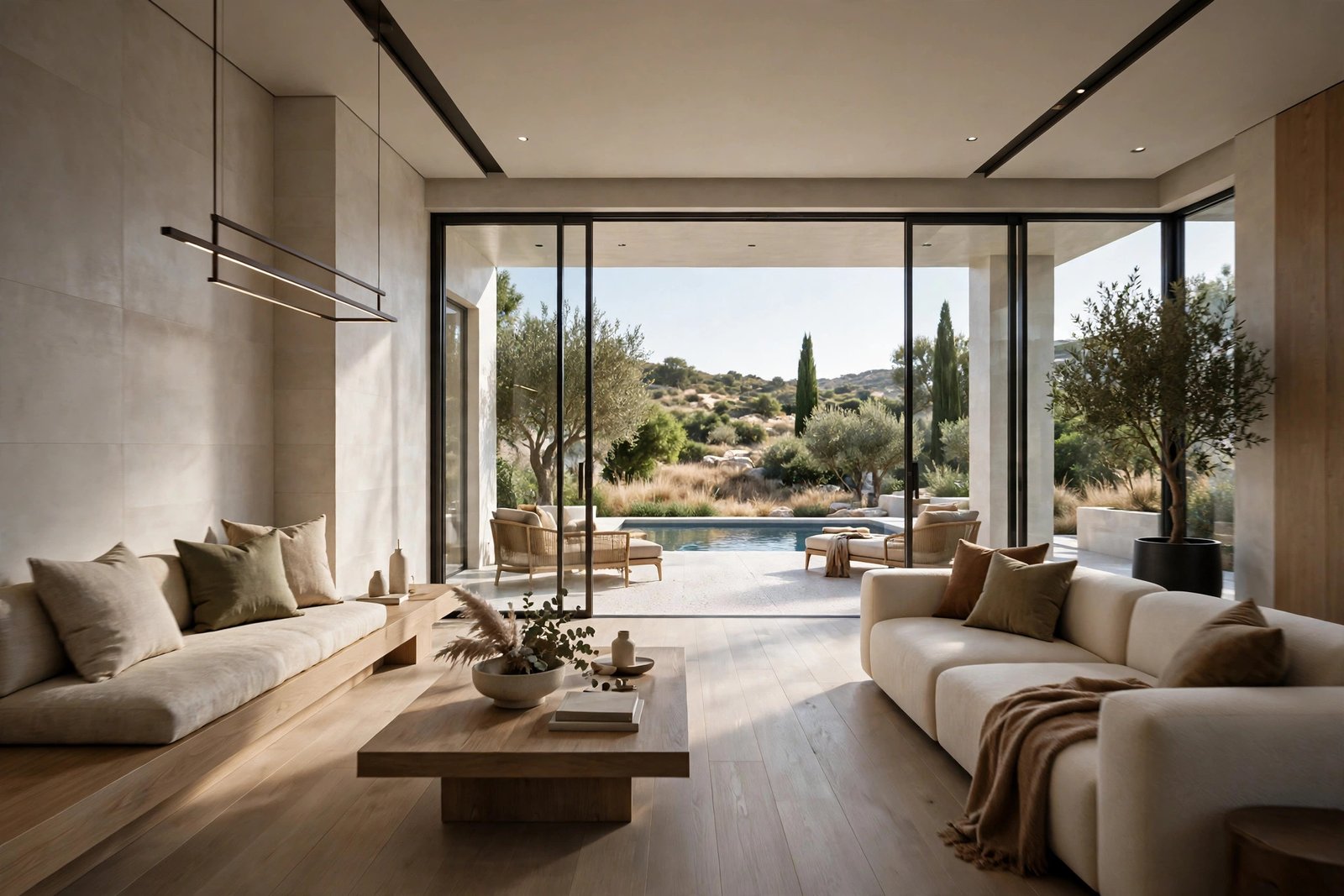
Architectural Walkthrough Animation: The Complete Guide
A still render shows a building. A walkthrough animation lets someone experience it. The camera glides through the lobby, rises along the facade at dusk, and settles on a terrace view as the music swells. For developers launching off-plan, architects presenting to juries, and designers winning competitions, architectural animation is the most persuasive medium in the visualization toolkit.
This complete guide explains what architectural walkthrough animations are, the different styles available, how they are produced step by step, what they cost, how long they take, and how to brief a studio for the best results. If you are considering animation for your next project, this is everything you need to know before you commission it.
What Is an Architectural Walkthrough Animation?
An architectural animation is a video generated from a 3D model of a building, where a virtual camera moves through or around the design. Unlike a filmed video, every frame is rendered by computer, which means the building does not need to exist yet. Walkthroughs move through interiors at eye level, flythroughs soar around exteriors and sites, and cinematic films combine both with storytelling techniques borrowed from cinema.
The power of animation is narrative. A still image captures one moment, but a 90-second film can take a viewer on a journey: arrival at the entrance, movement through the lobby, up to a rooftop terrace at sunset. That emotional arc is why animations dominate launch events, social media campaigns, and competition submissions.
Types of Architectural Animation
Interior walkthrough
Eye-level camera movement through rooms and corridors, showing how spaces connect and feel. Ideal for residential developments, hotels, and offices where the interior experience sells the project.
Exterior flythrough
Aerial and ground-level camera moves around the building, establishing massing, context, and arrival sequence. Essential for large developments and masterplans.
Cinematic film
The premium format: scripted sequences mixing interiors, exteriors, detail shots, and atmosphere, with professional color grading, music, and sometimes voiceover. This is what launches luxury developments and wins awards.
Technical animation
Exploded views, construction sequencing, and phased development animations. Used for investor presentations, planning submissions, and contractor coordination rather than marketing.
How Walkthrough Animations Are Produced
Animation production is filmmaking with a virtual camera, and it follows a similar pipeline to cinema.
Step 1: Brief and script
Everything starts with the story. What should the viewer feel, and in what order? The studio and client agree on the narrative arc, key spaces to feature, duration, and mood. A clear script prevents expensive changes later.
Step 2: 3D modeling and scene setup
The building and its environment are modeled in full 3D, more completely than for stills, because the camera sees everything from multiple angles. Landscaping, neighboring buildings, and street details all need to hold up in motion.
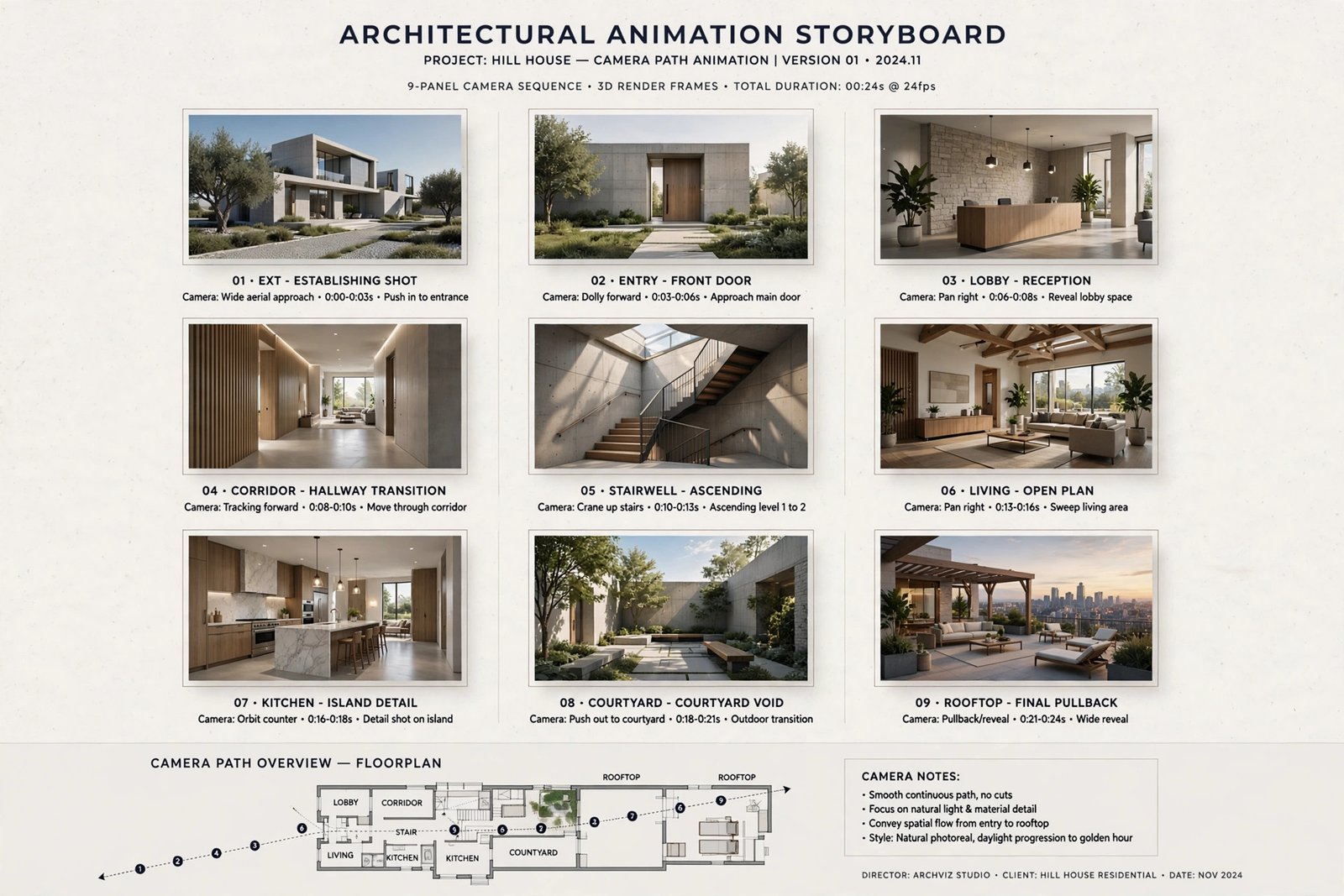
Step 3: Storyboard and animatic
Camera paths are planned frame by frame, often as a rough preview animation called an animatic. This is the most important approval stage: changing a camera move after final rendering means re-rendering thousands of frames. Clients review the animatic and lock the cameras before production continues. Our behind the scenes production guide explains why this stage determines project success.
Step 4: Materials, lighting, and detail
With cameras locked, artists refine materials, lighting, and entourage across every visible area. Animation demands consistency: a flickering light or popping texture that goes unnoticed in a still becomes glaring in motion.
Step 5: Rendering
Each second of video contains 24 to 30 individual frames, and each frame is a full 3D render. A 60-second animation means rendering around 1,500 frames, which is why animations take weeks and often use render farms: networks of computers working in parallel. Patience with hardware matters here, and our guide on rendering performance pitfalls in 3ds Max covers issues that plague animation projects.
Step 6: Post-production
Rendered frames are assembled, color graded, and combined with music, sound design, titles, and graphics. Professional sound design transforms a technical visualization into an emotional experience. This stage is where good animations become great ones.
What Does Architectural Animation Cost?
Animation is priced per second of finished video, typically $80 to $250 per second depending on quality. That means a 60-second film costs roughly $5,000 to $15,000, while a 2-minute cinematic production can reach $20,000 to $30,000. The wide range reflects real differences: a simple daytime flythrough costs far less than a cinematic film with detailed interiors, dusk sequences, and full post-production.
Factors that raise cost include interior sequences (more detail than exteriors), complex environments, custom music composition, voiceover, and tight deadlines. Factors that lower cost include reusing an existing 3D model from a still-image project and keeping the film short and focused.
How Long Does Production Take?
A 60 to 90 second animation typically takes four to eight weeks from brief to delivery. The breakdown is roughly: one week for script and storyboard, two to three weeks for modeling and scene setup, one week for animatic approval, two to three weeks for final rendering, and one week for post-production. Cinematic films with complex interiors take longer. Rush delivery is possible but expensive, because rendering time cannot be compressed beyond what the hardware allows.
The single biggest schedule risk is late design changes. Altering the building after cameras are locked can invalidate weeks of work. Lock the design before animation begins, or budget for the consequences.
Briefing a Studio for the Best Results
- Define the audience: investors, buyers, planners, and competition juries need different films. Say who is watching.
- Reference films you admire: share links to animations whose mood and pacing you like. This communicates more than paragraphs of description.
- Specify must-see spaces: list the rooms and views that must appear, in priority order.
- Discuss music early: licensed tracks, custom composition, or client-supplied music each have different timelines and costs.
- Plan the deliverables: full-length film, 15-second social cuts, and still frames extracted from the animation each need planning.
Where Animations Deliver the Most Value
Launch events and sales galleries benefit enormously, as a film playing on loop creates atmosphere that stills cannot. Social media campaigns favor short cinematic cuts, where even 15 seconds of beautiful motion outperforms static posts. Competition submissions stand out with animation because juries reviewing dozens of entries remember the project they experienced rather than just saw. And for remote buyers, a film combined with interactive tours, as discussed in our article on VR in real estate marketing, can replace the site visit entirely.
Common Animation Mistakes to Avoid
The most frequent mistake is a camera that moves too fast. Rapid flythroughs look exciting in preview but leave viewers disoriented and unable to absorb the design. Professional films move slowly and deliberately, lingering on key spaces. The second mistake is neglecting sound: a beautiful film with generic stock music feels cheap, while thoughtful sound design elevates the entire production.
Another common error is showing too much. Not every corridor and utility room deserves screen time. A tight 60-second film featuring the best spaces outperforms a rambling three-minute tour of everything. Finally, many clients skip the animatic review or approve it casually, then request camera changes after final rendering. Treat the animatic approval as seriously as the final delivery, because changes after that point are the most expensive kind.
Plan your distribution before production starts. A film finished in 4K widescreen can be recut for vertical social formats, but only if the framing allows it. Discuss all required aspect ratios and cutdown versions during briefing so the camera work serves every platform.
Frequently Asked Questions
How long should an architectural animation be?
Sixty to ninety seconds is the sweet spot for marketing. Long enough to tell a story, short enough to hold attention. Technical and investor presentations can run longer. Anything over three minutes needs a strong narrative reason.
Can you make an animation from our existing 3D model?
Often yes, which reduces cost and time. The studio will assess whether your model is detailed enough for close-up camera moves, since animation reveals flaws that stills hide. Some cleanup and additional detailing is usually needed.
What is the difference between Lumion and V-Ray animation?
Lumion produces animations much faster and is ideal for quick turnarounds and concept films. V-Ray and similar engines deliver higher realism per frame but take longer to render. Many studios use Lumion for draft animatics and high-end engines for final films. Our Lumion effects guide shows what real-time tools can achieve.
Do we need voiceover in our animation?
Not always. Music and sound design alone carry most marketing films. Voiceover suits investor presentations and technical explainers where specific information must be communicated. If you use voiceover, budget for professional recording.
What formats will we receive?
Expect a master file in high resolution (usually 1080p or 4K), web-optimized versions, and short social media cuts if requested. Confirm aspect ratios upfront: widescreen for presentations, vertical cuts for social platforms.
Can still images be taken from the animation?
Yes, and this is cost-effective. High-quality frames can be extracted and polished as stills, though dedicated still renders usually achieve slightly higher quality since they are composed as individual images. Plan this dual use from the start for the best results.
Written by
Architecture Designing
3D Visualization Studio